
Download ONGC Trade – trading platform, financial market, Euro/Dollar, Pound/Dollar, demo account, real-time quotes, 24/7 customer service, secure trading, investment tool, financial future, beginner-friendly, flexible negotiations, weekend trading, stock trading, investment risk
Overview
ONGC Trade is a mobile trading platform designed for individuals seeking access to key financial market assets, including Euro/Dollar and Pound/Dollar currency pairs. Developed by Good Trade LDT, the software aims to empower users with tools to engage in financial trading while promoting accessibility and ease of entry. The platform targets both novice and experienced traders, offering features tailored to beginners, such as a free demo account with ₹10,000 in virtual funds.
This allows users to explore trading mechanics without risking real capital. Real-world use cases include practicing strategies, testing market reactions, and gaining confidence before transitioning to live trading. The platform also supports 24-hour trading operations, enabling users to engage in market activities at any time, including weekends.
While the developer emphasizes secure and stable data delivery through aggregation from professional sources, no specific technical safeguards or security protocols were disclosed. The software is currently available exclusively on Android, with no information provided about compatibility with other platforms.
Key Features & Capabilities
- Free Demo Account: Provides users with ₹10,000 in virtual funds to simulate real trading conditions, ideal for learning and strategy testing without financial risk.
- Real-Time Quotes: Delivers up-to-date market data for currency pairs like Euro/Dollar and Pound/Dollar, supporting timely trading decisions.
- 24/7 Customer Service: Offers round-the-clock support, enabling users to resolve queries or technical issues at any hour.
- Beginner-Friendly Tutorial: Includes guided onboarding content to help new users understand platform navigation and trading basics.
- Flexible Negotiations: Supports trading across multiple assets and allows for extended trading windows, including weekend sessions.
- Multi-Asset Access: Enables users to trade various financial instruments, including some off-platform assets, though specific details are not provided.
These features collectively support a learning-first approach, particularly beneficial for users new to financial markets. The demo account and tutorial reduce the learning curve, while real-time data and continuous availability help maintain engagement. The ability to trade on weekends may appeal to users with non-traditional schedules. However, the exact nature of “off-platform assets” and the mechanisms behind “flexible negotiations” remain unspecified. The platform’s reliance on aggregated data from professional sources suggests an effort to ensure accuracy, though no validation methods or data sources were disclosed.
User Interface, Workflow & Performance
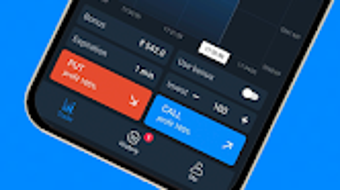
The user interface of ONGC Trade is designed for mobile accessibility, with navigation structured to support quick access to trading tools and market data. While specific UI details such as layout design, color schemes, or interaction patterns are not available, the platform’s emphasis on being beginner-friendly suggests intuitive controls and clear visual cues. Workflow efficiency is supported through streamlined access to the demo account, real-time quotes, and customer service.
Users can transition from learning to active trading with minimal friction. The application is reported to operate continuously, supporting 24/7 trading, which implies consistent background performance. However, the developer did not specify resource usage details such as CPU or RAM consumption.
Performance observations are based on general software behavior patterns. Stability during extended trading sessions is assumed but not confirmed. No information was provided about crash rates, update frequency, or background process management.
Users should be aware that mobile trading apps may experience variability in responsiveness depending on device performance and network conditions.
Compatibility & System Requirements
ONGC Trade is available for Android devices, with the current version being 2.0.1. The application has a file size of 24.7 MB, indicating a lightweight footprint suitable for most modern Android smartphones and tablets. The developer did not provide additional system requirements, such as minimum Android version, processor specifications, or memory needs.
Compatibility information was partially provided, leaving the exact range of supported devices unclear. Users should ensure their device meets standard Android app requirements for installation and operation. No information was given about support for other operating systems such as iOS, Windows, or Mac.
The software is free to download and use, with no visible in-app purchase prompts or subscription tiers mentioned. The absence of detailed compatibility data means users must rely on general device compatibility standards when installing the app.
Pros and Cons
Pros
- Free demo account with ₹10,000 virtual funds for risk-free learning.
- Real-time quotes for major currency pairs like Euro/Dollar and Pound/Dollar.
- 24/7 customer service support for immediate assistance.
- Beginner-friendly tutorial to ease onboarding.
- Continuous trading availability, including weekends.
- Lightweight installation at 24.7 MB.
- Accessible on Android devices without upfront cost.
Cons
- Platform is limited to Android; no information on iOS or desktop support.
- Exact system requirements and hardware specifications were not listed.
- Details about data security, encryption, or authentication methods are unavailable.
- Information on off-platform assets and negotiation mechanics is unclear.
- No performance benchmarks or stability metrics were provided.
- Trading involves inherent financial risk, and the platform does not assume responsibility for losses.
FAQ Section
Is ONGC Trade available for iOS devices?
The software is currently available only on Android. No information was provided about future iOS support.
Is the demo account truly free to use?
Yes, the demo account is provided at no cost and includes ₹10,000 in virtual funds for practice trading.
Does ONGC Trade require an internet connection?
Yes, real-time quotes and trading functionality require a stable internet connection.
Can I trade on weekends using ONGC Trade?
Yes, the platform supports 24-hour trading, including weekend sessions, allowing users to trade at any time.
Is there a license or subscription fee for using ONGC Trade?
The software is free to download and use. No subscription or license fees were mentioned.
Final Thoughts
ONGC Trade presents a focused, mobile-first approach to financial market access, particularly for users interested in currency trading. Its standout features—especially the free demo account and 24/7 support—make it a compelling choice for beginners exploring trading without financial exposure. The platform’s emphasis on continuous availability and real-time data aligns with the needs of active traders.
However, the lack of detailed system requirements, security disclosures, and cross-platform availability limits its broader appeal. Users should proceed with caution, as trading involves significant risk, and the platform does not assume liability for financial losses. For Android users seeking a simple, accessible entry point into financial markets, ONGC Trade offers a practical starting tool.
Download ONGC Trade now to begin your journey in financial trading with confidence.







